Customization
Bulwark is designed to be easily customizable to match your brand. Branding can be configured three ways:
- Setup wizard (1.6.4+) - First-launch UI accepts file uploads for favicon, app logos, and login logos, along with company/legal URLs.
- Admin dashboard - Update branding at any time after setup without restarting.
- Environment variables - Lock branding via env-driven config (overrides admin-managed values).
Theming
Bulwark uses CSS custom properties for theming. Override them to change colors across the entire application.
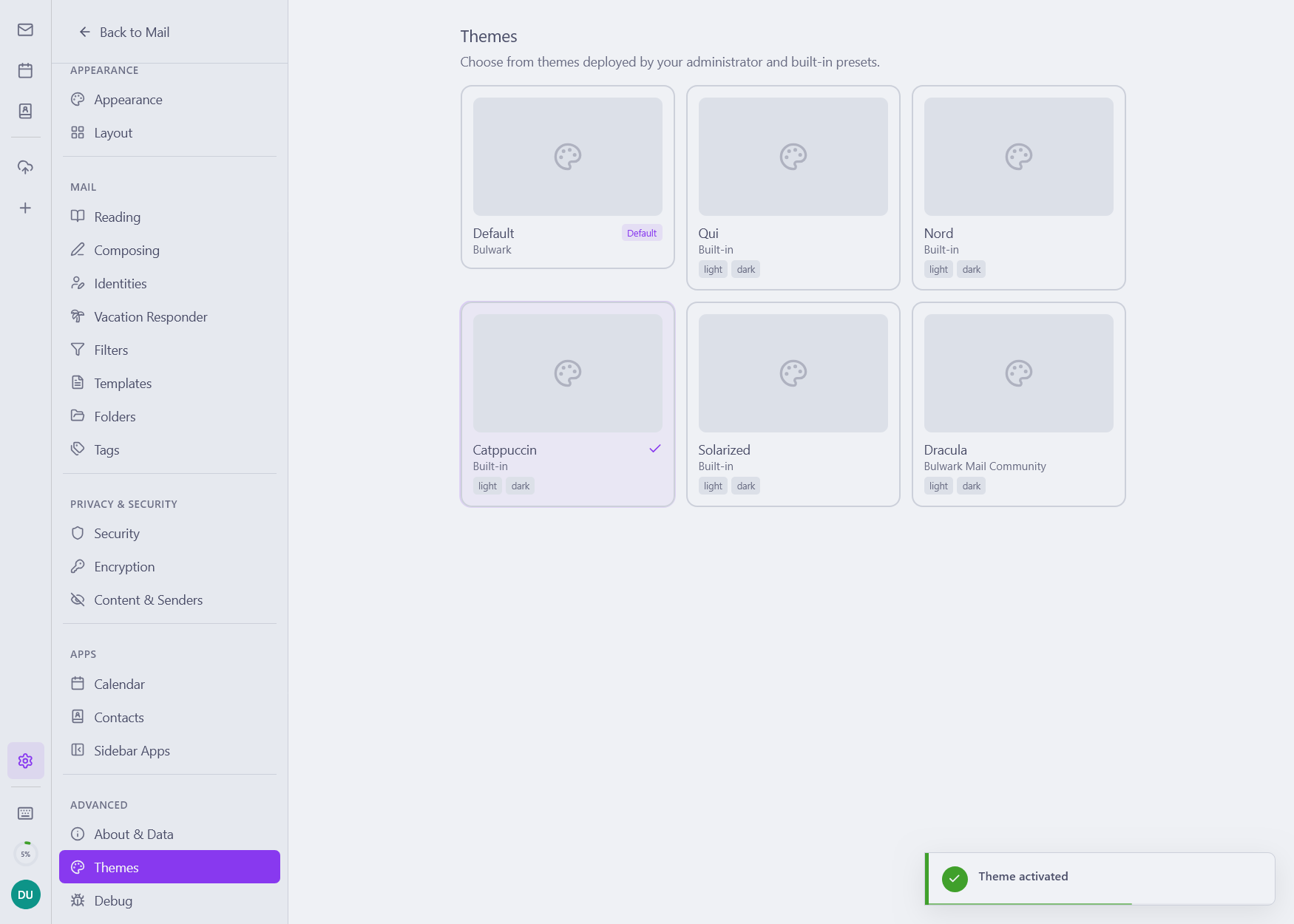
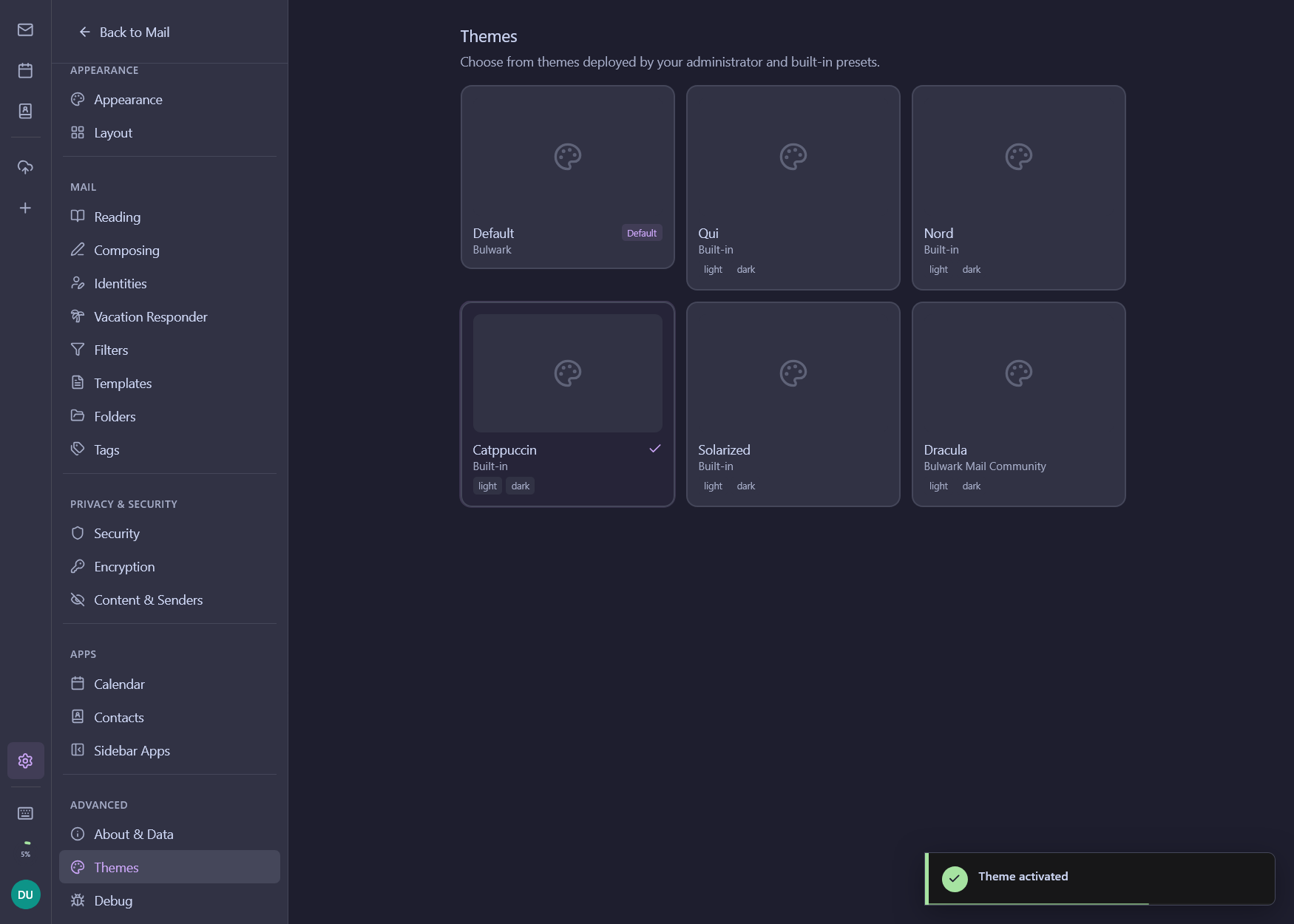
Light Theme Variables
:root {
  --color-background: #ffffff;
  --color-foreground: #0f172a;
  --color-primary: #3b82f6;
  --color-primary-foreground: #ffffff;
  --color-secondary: #f8fafc;
  --color-secondary-foreground: #0f172a;
  --color-muted: #f1f5f9;
  --color-muted-foreground: #64748b;
  --color-accent: #dbeafe;
  --color-accent-foreground: #1e40af;
  --color-border: #e2e8f0;
  --color-input: #e2e8f0;
  --color-ring: #94a3b8;
}
Dark Theme Variables
.dark {
  --color-background: #0a0a0a;
  --color-foreground: #fafafa;
  --color-primary: #fafafa;
  --color-primary-foreground: #171717;
  --color-secondary: #262626;
  --color-secondary-foreground: #fafafa;
  --color-muted: #262626;
  --color-muted-foreground: #a3a3a3;
  --color-accent: #1e3a8a;
  --color-accent-foreground: #dbeafe;
  --color-border: #262626;
}
Theme Modes
Bulwark supports three theme modes: light, dark, and system (follows OS preference). The selected theme is persisted in localStorage and applied via Zustand state management.
Custom App Name
Change the application name displayed in the UI:
APP_NAME=YourMail
Custom Favicon
Replace the browser tab icon with your own:
FAVICON_URL=/branding/my-favicon.svg
| Property | Requirement |
|---|---|
| Formats | SVG (recommended), PNG, ICO |
| Minimum size | 32×32px |
| Maximum size | 512×512px |
| Recommendation | Use SVG for crisp rendering at all resolutions |
Place your favicon file in the public/branding/ directory, or provide an absolute URL.
When not set, the default Bulwark favicon is used.
PWA Branding
When users install Bulwark as a Progressive Web App, the manifest is generated dynamically from the runtime config. You can customize the install experience and the splash screen:
APP_NAME=Acme Mail
APP_SHORT_NAME=Acme              # Home screen label, defaults to APP_NAME
APP_DESCRIPTION=Acme webmail     # Shown by the OS during install
PWA_ICON_URL=/branding/acme-icon.svg
PWA_THEME_COLOR=#0f172a          # Browser UI chrome color (status bar on Android)
PWA_BACKGROUND_COLOR=#ffffff     # Splash screen background
| Variable | Purpose | Default |
|---|---|---|
APP_SHORT_NAME | Short label on the home screen and install prompt | falls back to APP_NAME |
APP_DESCRIPTION | Description shown by the OS install dialog | generic description |
PWA_ICON_URL | Source image used to auto-generate 192/512 PNG plus maskable variants | FAVICON_URL |
PWA_THEME_COLOR | Color applied to the browser UI when launched as a PWA | #ffffff |
PWA_BACKGROUND_COLOR | Splash screen background while the app is loading | #ffffff |
PWA icons (regular and maskable, in dark and light variants) are generated automatically from PWA_ICON_URL so you only need one source asset. SVG is recommended for best quality at all sizes; if PNG, use ≥512×512px.
For more on PWA features (install flow, service worker, install-prompt UX), see the Progressive Web App page.
App Logo (Sidebar)
Add your brand logo to the sidebar header (visible in the main app after login):
APP_LOGO_LIGHT_URL=/branding/my-logo-color.svg
APP_LOGO_DARK_URL=/branding/my-logo-white.svg
| Property | Requirement |
|---|---|
| Formats | SVG (recommended), PNG, WebP |
| Minimum size | 24×24px |
| Maximum size | 128×128px |
| Display size | 24×24px |
If only one variant is provided, it is used for both light and dark modes. If neither is set, no logo appears in the sidebar.
Login Page Logo
Customize the logo on the login page:
LOGIN_LOGO_LIGHT_URL=/branding/my-login-logo.svg
LOGIN_LOGO_DARK_URL=/branding/my-login-logo-white.svg
| Property | Requirement |
|---|---|
| Formats | SVG (recommended), PNG, WebP |
| Minimum size | 32×32px |
| Maximum size | 512×512px |
| Display size | 64×64px |
When not set, the default Bulwark logo is used.
Login Page Branding
Customize the login page with company information:
LOGIN_COMPANY_NAME=Your Company
LOGIN_WEBSITE_URL=https://yourcompany.com
LOGIN_IMPRINT_URL=https://yourcompany.com/imprint
LOGIN_PRIVACY_POLICY_URL=https://yourcompany.com/privacy
In-App Settings
Users can customize their experience from the Settings page. Settings are organized into 6 groups (reorganized in 1.5.0) for clearer navigation:
Appearance & Layout
- Font size - Small, medium, large, or extra-compact density
- List density - Compact, regular, or comfortable (compact hides the preview line to match the settings preview)
- Animations - Enable or disable UI animations (respects
prefers-reduced-motion) - Theme - Light, dark, or system
- Always show emails in light mode - Avoid dark-mode color transformation for problematic HTML mail
- Toolbar position - Top or below subject
- Mail layout - Choose between split (three-pane), focused list, and reading pane at bottom
- Hover actions - Choose which quick-actions appear and their placement (with avatar in Focused list for compact density and above)
- Sidebar apps - Reorder, pin, or hide each app; mobile visibility toggle per app
- Account switcher visibility - Hide or show the account switcher in the sidebar
- Account avatars - Show account avatars on the navigation rail
- Junk folder avatars - Show or hide avatars in the Junk folder (off by default)
- Folder expansion - Folder expansion state is remembered across sessions
Date & Time
- Date format - Regional, ISO, or custom
- Time format - 12-hour or 24-hour, applied consistently across calendar and email
- First day of week - Sunday or Monday
- Show time in month view - Display event start time in the month view
- Show week numbers - In the mini-calendar
- Birthday calendar - Toggle the auto-generated birthday calendar
- Hover preview - Configure calendar event hover preview behavior
Mail Behavior
- Conversation threading - Enable or disable
- Mark as read delay - Instant, delayed (configurable), or never
- Delete action - Move to trash or permanent delete
- Archive mode - Direct, by year, or by year/month
- Attachment position - Top or bottom of the email viewer
- Composer mode - Rich text or plain text only
- Auto-select reply identity - Match reply identity to original recipient
- Reply-to addresses - Configure reply-to in the composer
- Signature position - Above or below quoted text, per identity (searchable from settings)
- From-header override - Allow overriding the From header in the composer for catch-all aliases
- Sub-addressing delimiter - Customize the character separating user and tag in plus-addressing (
user+tag@…) - External content - Ask, block, or allow by default
- Forgotten attachment warning - Detect attachment-related keywords in the body and warn before send
- Default mail program - Register Bulwark as the system mail handler
Notifications
- Notification sound picker - Choose from bundled sounds with preview playback
- Live update toggle - Real-time push (via JMAP EventSource)
Contacts & Calendar
- Group contacts by first letter - Toggle A-Z grouping with sticky section headers
Migration & Maintenance
- Keyword migration - One-click migration of legacy email tags to updated keywords
Structured Logging
Configure log output format and verbosity:
LOG_FORMAT=text   # "text" or "json"
LOG_LEVEL=info    # "debug", "info", "warn", "error"
Logging Categories
Bulwark supports logging categories for finer-grained log management. Categories let you tune log verbosity per subsystem (e.g., JMAP, auth, OAuth, calendar, plugin proxy, settings sync, admin) independently - useful when debugging a specific area without flooding logs from the rest of the app.
Use LOG_FORMAT=json for machine-parseable output suitable for log aggregators (Loki, Elastic, Splunk). Each entry includes the category in its structured fields.